The Challenge
Manual finance tracking is easy to abandon, while traditional bookkeeping tools are too heavy for personal use. The product needed to feel as fast as a note, but structured enough to support monthly review.
macOS + iOS companion app / Personal bookkeeping
A working macOS and iOS alpha that helps people capture daily transactions on iPhone, review monthly spending on Mac, and keep structured bookkeeping records in Notion.
Companion Surfaces
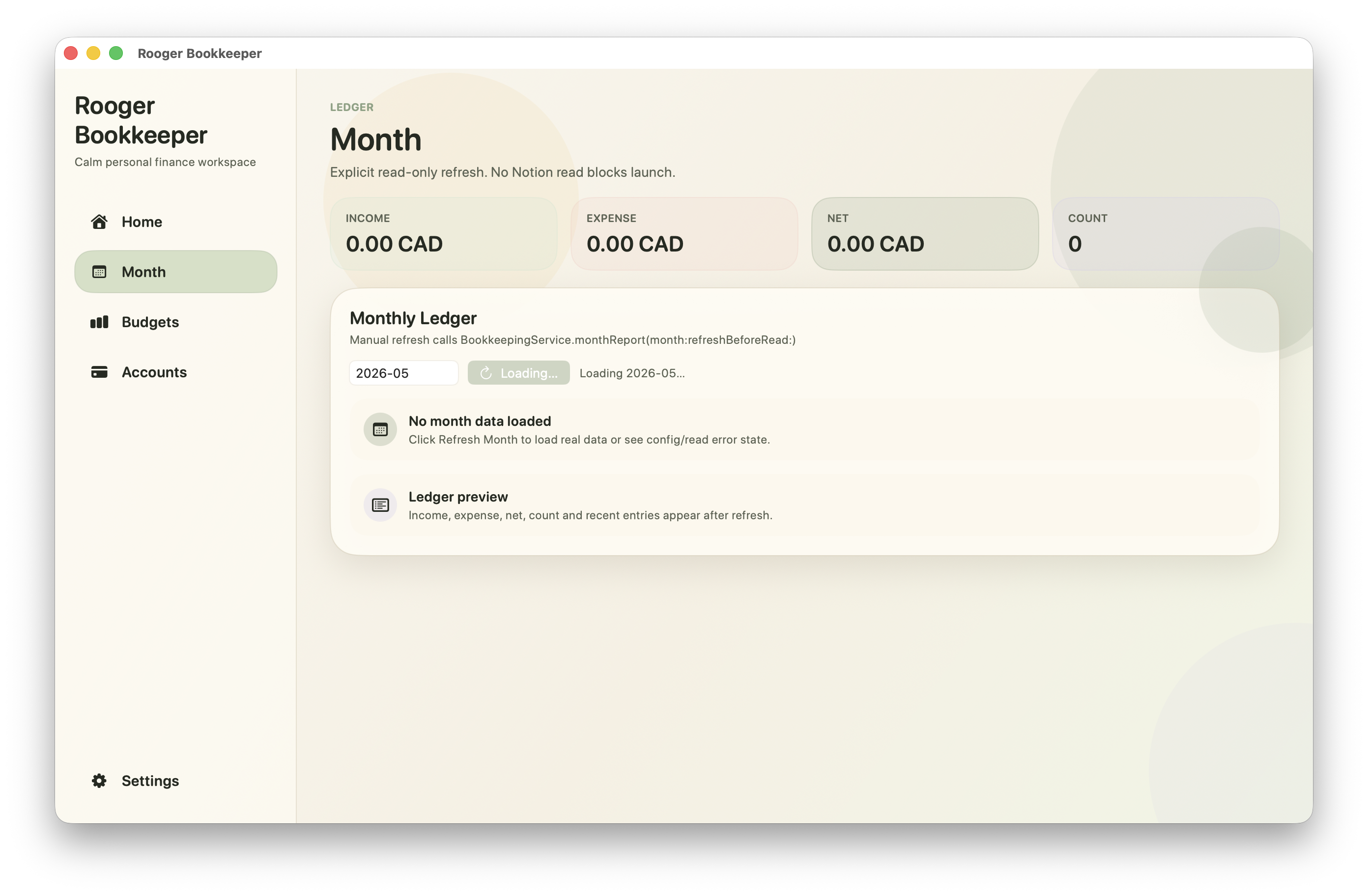
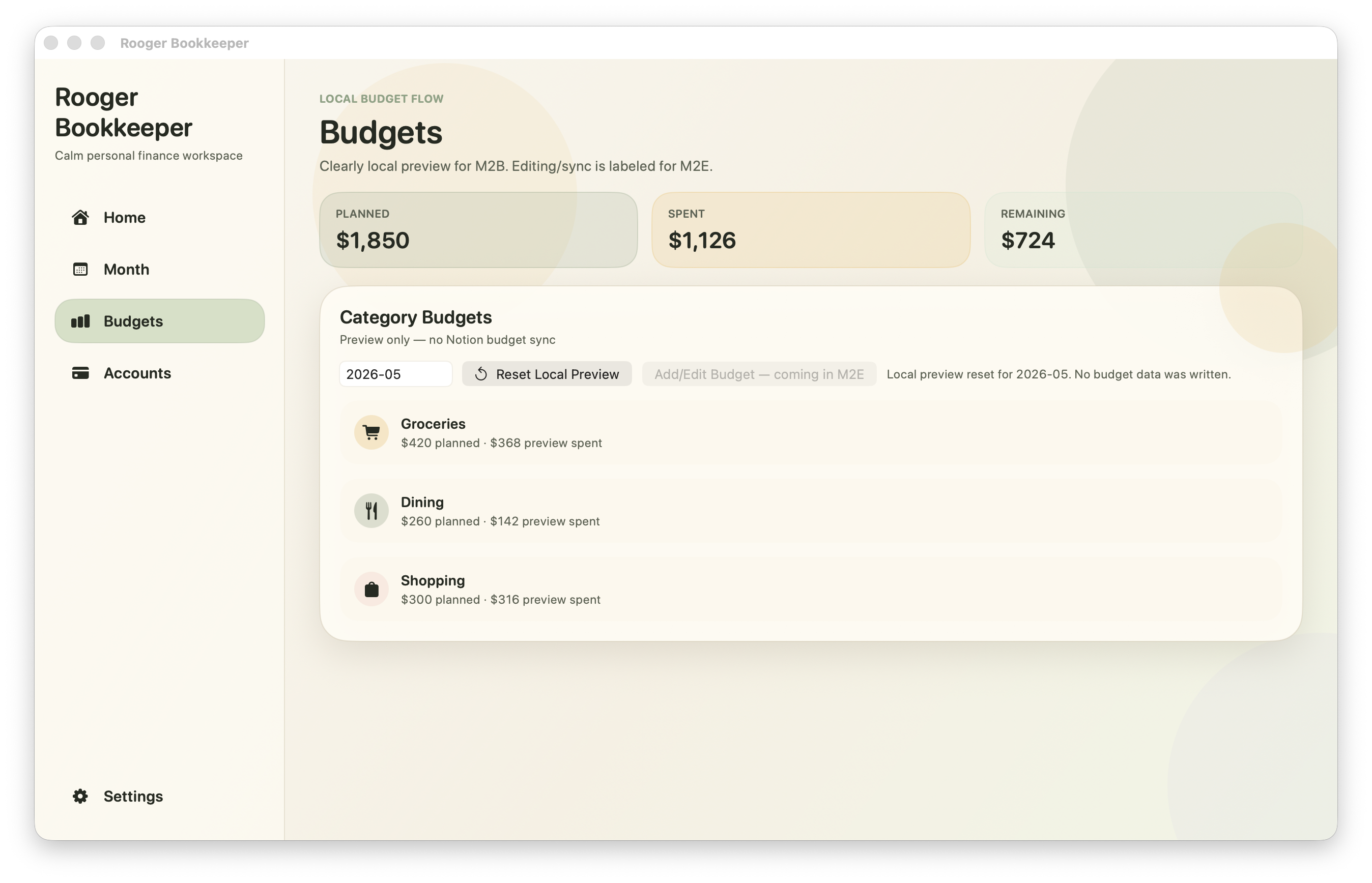
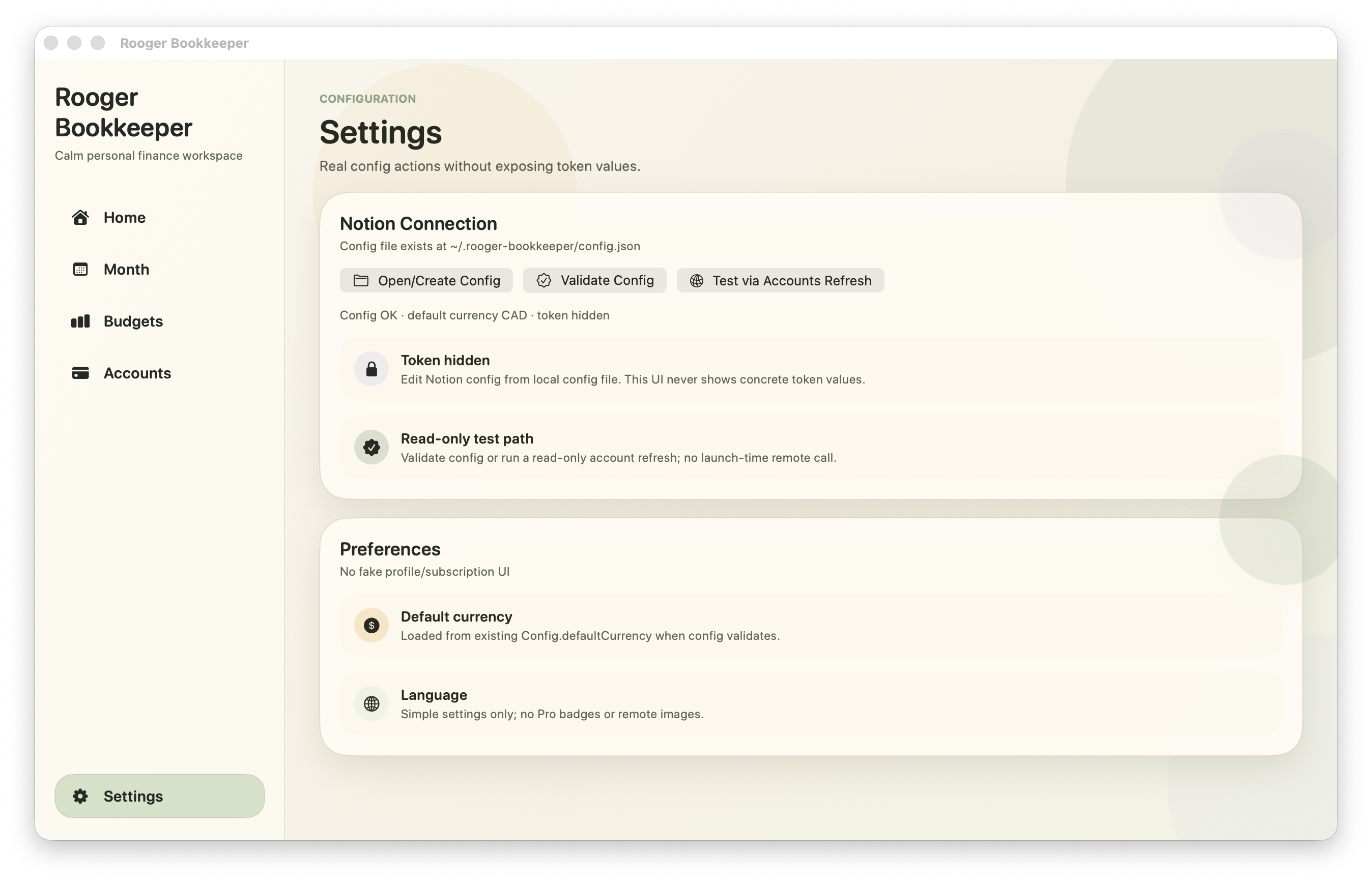
Rooger is designed as a macOS + iOS companion system. The phone handles fast daily entry; the Mac provides a calmer workspace for reviewing the month, checking budgets, managing sync, and preparing structured records.
Small-screen speed meets desktop bookkeeping structure.
Case Study
Rooger is not professional accounting software. It is a personal and household bookkeeping tool for people who want daily transactions to become searchable, reviewable records without building a spreadsheet ritual around every purchase.
Manual finance tracking is easy to abandon, while traditional bookkeeping tools are too heavy for personal use. The product needed to feel as fast as a note, but structured enough to support monthly review.
I shaped the information architecture around a compact daily rhythm: capture a transaction, review what changed, understand the monthly budget, and sync clean records to Notion.
AI was explored as a bookkeeping assistant across the workflow: suggesting categories, learning from corrections, cleaning statement text, and preparing Notion-ready monthly records while keeping the user in control.
The project reached a working macOS and iOS alpha with real screens, local prototypes, real-device checks, and a clearer product direction for household bookkeeping.
Rooger started as a personal and household bookkeeping tool. The target user is someone recording daily expenses, income, refunds, subscriptions, budgets, and shared household costs, not an accountant or bookkeeping firm.
The product leaves room for future couple, family, and small shared-ledger workflows, but the core experience stays intentionally lightweight: quick capture first, deeper review only when needed.
The current app focuses on structured transaction entry: merchant or description, amount, account, category, note, and budget context. In the broader workflow, statements, PDFs, transaction exports, and Notion databases also helped shape the record-cleaning logic.
I avoided treating receipt OCR as the main story because it is not the current product core. It belongs in the roadmap, while the alpha centers on fast manual entry, category learning, and reviewable monthly records.
Mac App Layer
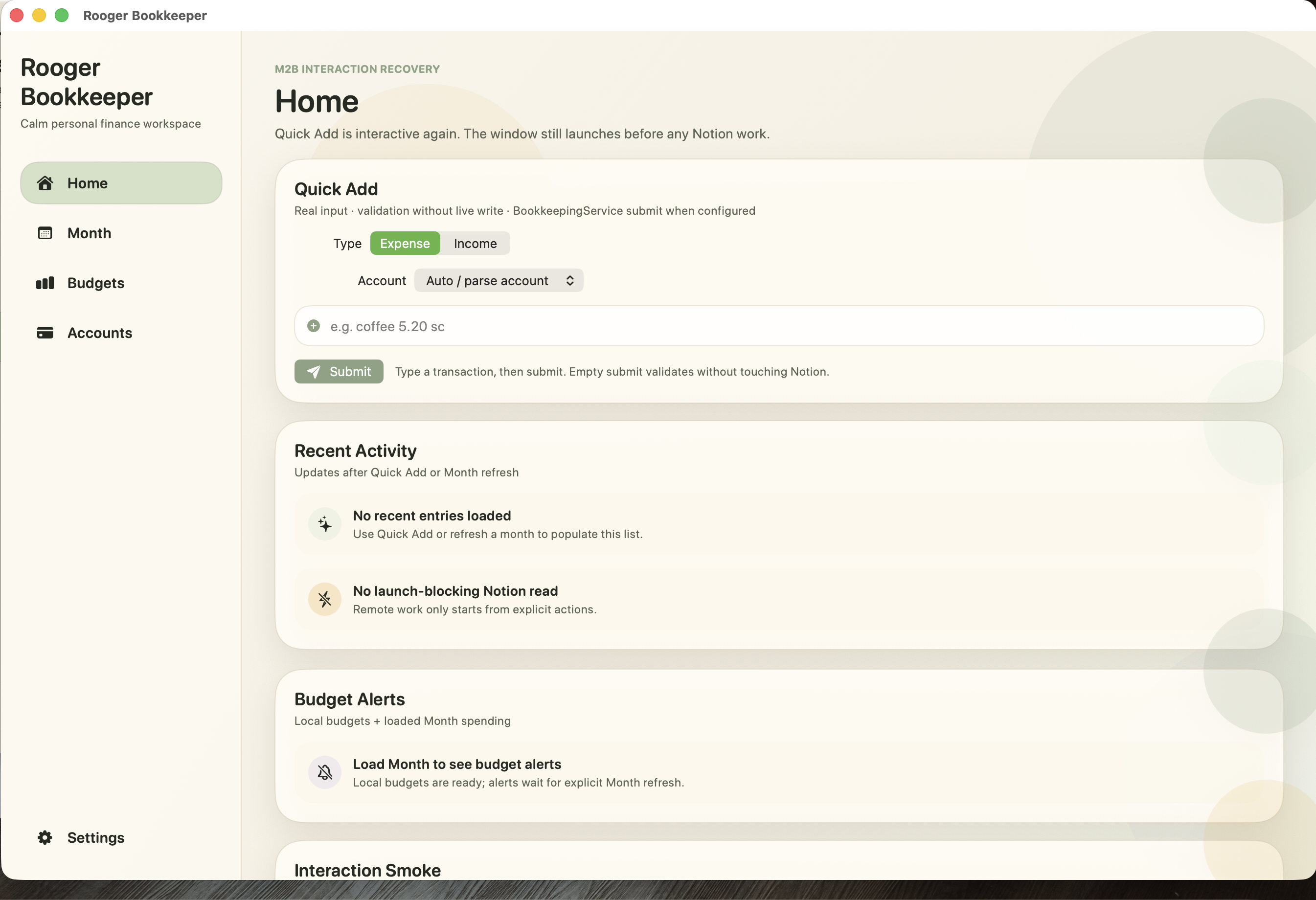
The Mac app is not a stretched iPhone screen. It is the denser review companion for the same personal bookkeeping system: more space for scanning records, checking budgets, managing accounts, and preparing sync-ready data.

iPhone Role
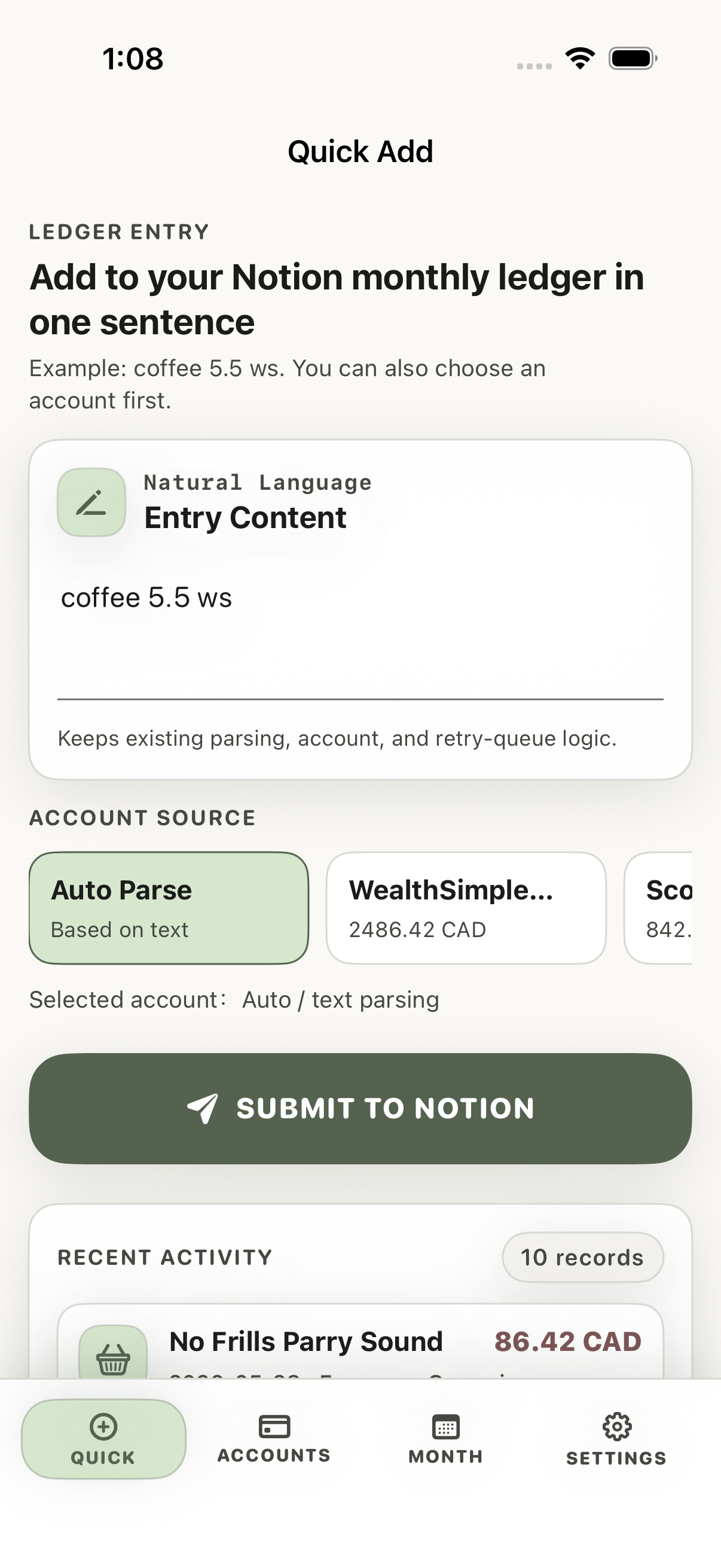
The iPhone app keeps the entry loop short: add the amount, record the merchant, confirm category suggestions, and move on.


Product Flow
The flow is designed to get out of the user's way: capture quickly, confirm safely, and revisit the record later with enough structure to make sense of the month.
Fast entry for daily transactions.
Confirm suggestions before records become trusted.
See monthly status and category pressure at a glance.
Open the context behind a transaction, account, or category.
Prepare structured records for a personal Notion ledger.
Assistive Intelligence
Rooger uses AI as a quiet assistant, not as an all-powerful black box. The learning layer can remember category corrections, interpret recurring merchant language, and help clean messy statement text into readable transaction records.
That learning matters because personal bookkeeping is personal: one user's coffee may be social, another user's coffee may be work, and the app should gradually adapt to those choices.
Key Screens
The alpha is not dashboard-first. Its structure became iPhone Quick Add plus Mac review surfaces, with Budget, Account, Detail, and Notion sync forming the wider bookkeeping loop.


Safe Edit
The safest part of Rooger is intentionally conservative. The assistant can suggest, but the user remains the final editor of their personal records.
Build Process
LLM agents helped explore interface directions, generate implementation plans, and support repeated build-test loops across the iPhone and Mac surfaces. The product still had to earn its shape through real screens and real-device interaction.
LLM-assisted iteration helped compare layouts, naming, states, and interaction structure quickly.
Core screens were implemented as native Apple-platform views rather than staying as static visuals.
The companion flow was checked across the handheld capture context and the desktop review context.
Agents also supported statement cleanup logic, Notion summary preparation, and implementation debugging.
Current Status & Roadmap
Rooger is a working macOS and iOS alpha, not a public release. The next work is about tightening cross-device parity, expanding input sources, and supporting shared household use without losing the lightweight daily rhythm.
Collaborative tracking for couples, families, and small household groups.
Better visibility into subscriptions, fixed expenses, and budget pressure.
Cleaner workflows for bank exports and PDF statement reconciliation.
Natural-language monthly recap and polished Notion templates.
Back to Portfolio
Return to the full work overview and continue exploring Roger's product design work.
Back to Work